
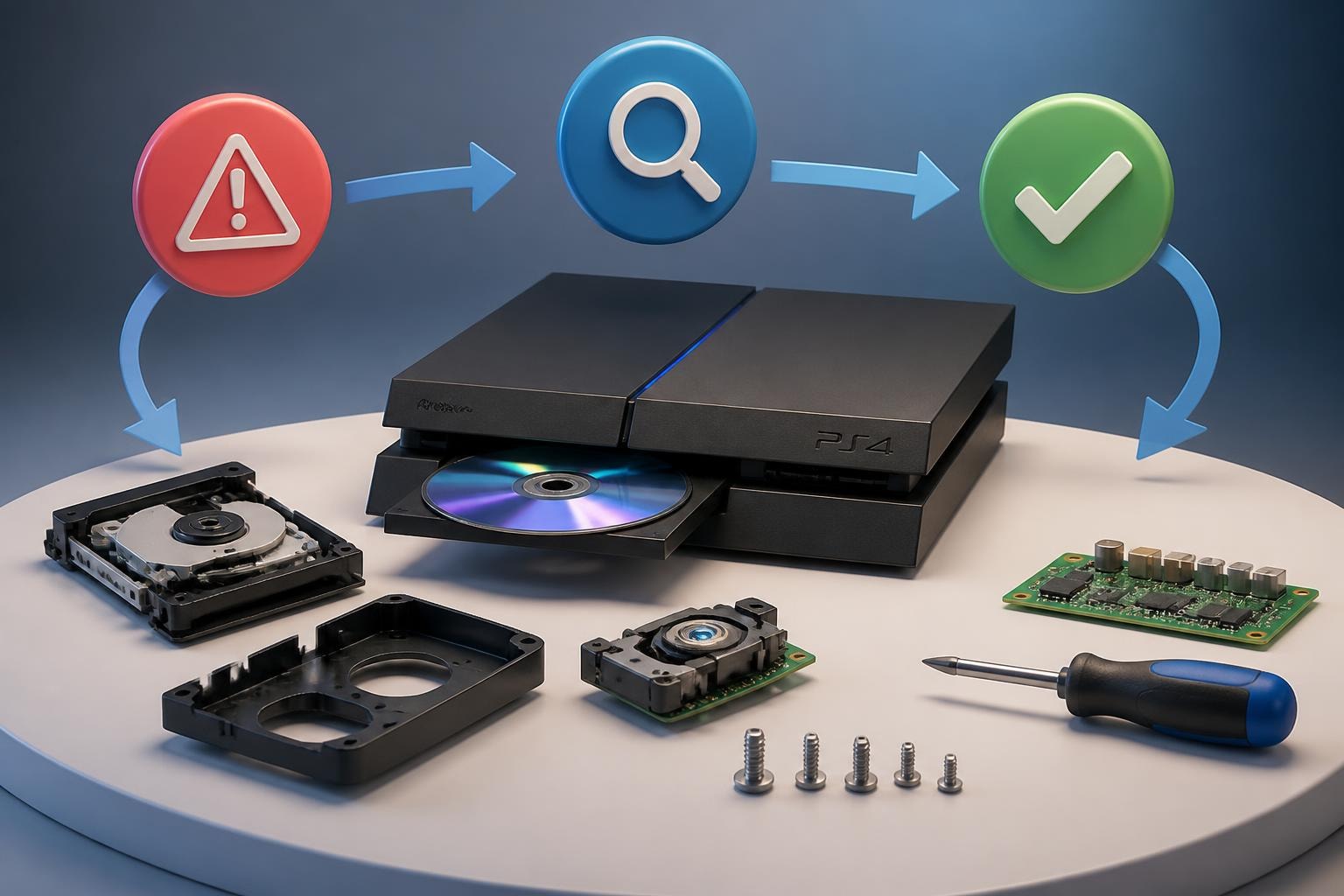
PS4 Disc Drive Repair: Complete Guide to Fix & Restore
The PlayStation 4 disc drive is one of the most frequently used components in the console, and unfortunately, one of the most prone to failure. Whether your PS4 refuses to accept discs, makes grinding noises, or simply won't read your favorite games, understanding ps4 disc drive repair options can save you time and frustration. With millions of PS4 consoles still in active use in 2026, disc drive issues remain a primary concern for gamers who prefer physical media over digital downloads. This comprehensive guide explores the diagnostic process, common failure points, repair options, and professional solutions to get your console back in working order.
Understanding PS4 Disc Drive Architecture
The PS4 disc drive operates as a sophisticated mechanical and optical system working in harmony. The drive consists of several critical components: the laser lens assembly, roller mechanism, drive belt, circuit board, and the mechanical ejection system. Each component plays a vital role in reading and processing disc data.
When you insert a disc, the roller mechanism pulls it into the drive bay. The laser lens then reads the disc while it spins at precise speeds. The circuit board processes this data and communicates with the console's main processor. Any disruption in this sequence can result in disc reading failures.
Common Symptoms and Their Meanings
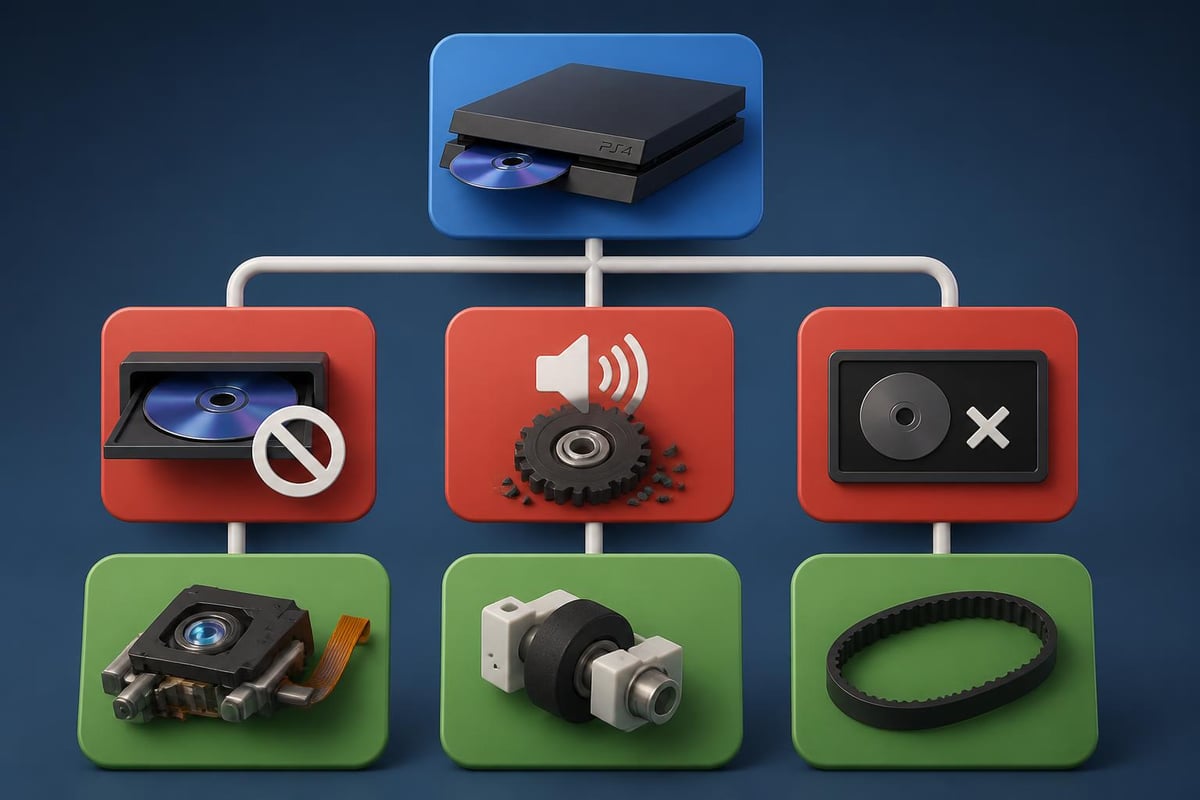
Different symptoms point to specific component failures within the disc drive assembly. Recognizing these patterns helps narrow down the root cause before attempting ps4 disc drive repair.
Disc Rejection Issues:
- Console immediately ejects inserted discs
- Beeping sounds without disc acceptance
- Motor attempts to pull disc but fails
Reading and Recognition Problems:
- Disc spins but isn't recognized
- "Unrecognized disc" error messages
- Games load partially then freeze
Mechanical Failures:
- Grinding or clicking noises
- Disc gets stuck inside the drive
- Manual eject screw doesn't help
Diagnostic Steps Before Repair
Before opening your console, several troubleshooting steps can help determine whether your issue requires physical ps4 disc drive repair or simple software adjustments. Sony's official PlayStation support documentation provides valuable initial troubleshooting guidance.
Software-Based Diagnostics
Start by eliminating software-related causes. Boot your PS4 into Safe Mode by holding the power button for seven seconds until you hear a second beep. From Safe Mode, select "Rebuild Database" to resolve potential system file corruption affecting disc recognition.
Update your system software to the latest version. Outdated firmware can occasionally interfere with disc drive functionality. Check for system updates in the Settings menu under System Software Update.
Test multiple discs across different formats. Try Blu-ray movies, DVDs, and various game discs. If only specific discs fail while others work, the problem likely lies with the discs themselves rather than the drive mechanism.
| Diagnostic Test | Pass Result | Fail Result | Next Step |
|---|---|---|---|
| Safe Mode Rebuild | All discs read | No change | Try different media types |
| Multiple disc test | 80%+ discs work | Most discs fail | Check for mechanical issues |
| Firmware update | Drive recognizes discs | Still not reading | Inspect internal components |
| Clean disc test | Reads perfectly | Still fails | Professional repair needed |
Physical Inspection Methods
Examine the disc slot opening for visible obstructions. Small objects, debris, or even game labels can block the roller mechanism. Use a flashlight to peer inside the slot, looking for foreign objects.
Listen carefully to the sounds your PS4 makes when attempting to read a disc. A healthy drive produces a quiet whirring sound as the disc spins. Grinding, clicking, or repeated start-stop patterns indicate mechanical problems requiring hands-on ps4 disc drive repair.
Clean the exterior of your discs thoroughly. Fingerprints, smudges, and scratches can prevent proper reading. Use a microfiber cloth to wipe from the center outward in straight lines, never in circular motions.
Common PS4 Disc Drive Failures
The PS4's disc drive experiences predictable failure patterns based on component wear and environmental factors. Understanding these common issues helps determine repair complexity and cost.
Laser Lens Degradation
The optical laser lens deteriorates over time through normal use. Dust accumulation on the lens surface reduces reading accuracy. In some cases, the laser itself loses power and cannot properly read disc data layers. This represents one of the most frequent causes requiring professional ps4 disc drive repair intervention.
Laser-related failures typically manifest as intermittent reading issues that worsen over time. Your PS4 might read discs when first powered on but fail after extended use as the laser heats up. Comprehensive troubleshooting guides outline these progressive symptoms in detail.
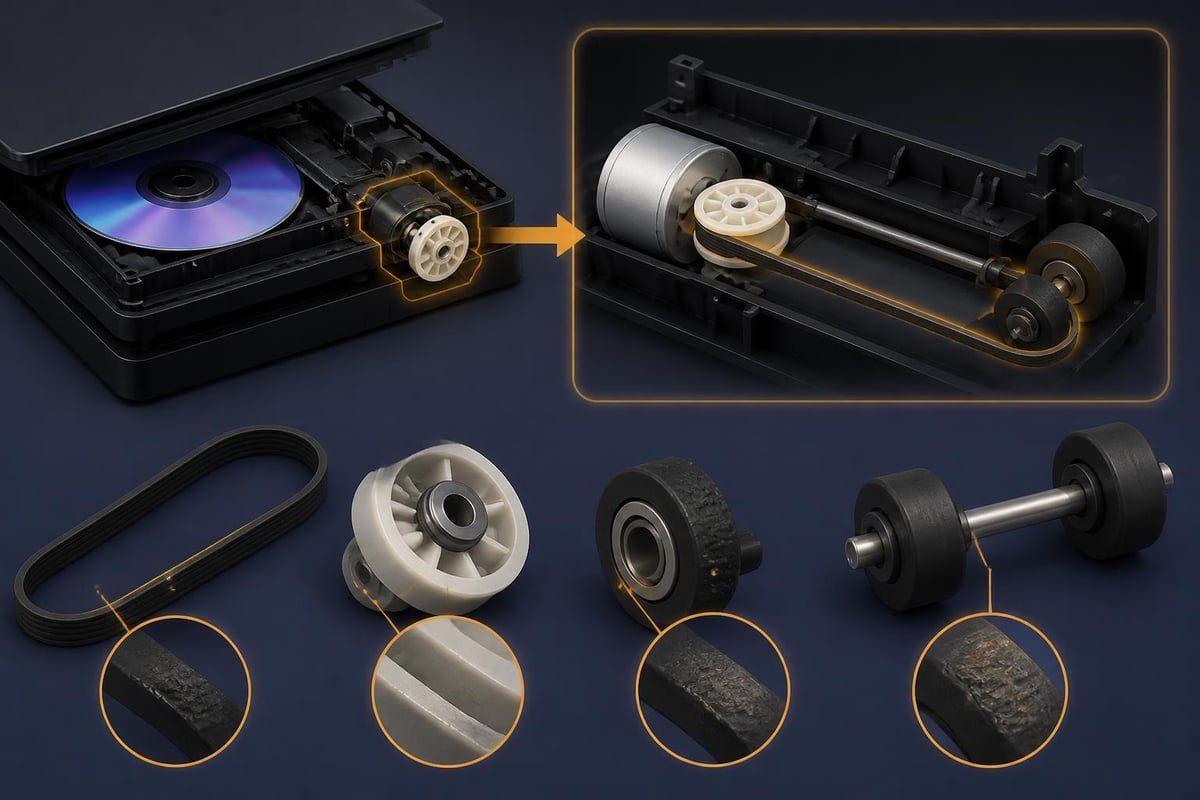
Drive Belt and Roller Problems
The rubber drive belt that powers the disc loading mechanism stretches and cracks with age. Once compromised, it can't generate enough friction to pull discs into the drive or eject them properly. This mechanical failure is particularly common in PS4 consoles from 2013-2016.
Roller mechanism failures occur when the small rubber wheels that grip and pull discs wear down. These components lose their tacky surface texture, causing discs to slip during the loading process. You'll hear the motor attempting to engage, but the disc remains outside the console.
Circuit Board and Motor Malfunctions
The disc drive's dedicated circuit board can experience solder joint failures, capacitor degradation, or chip-level defects. These electronic failures often result in the drive receiving power but failing to execute commands from the main console processor.
Motor failures present as complete inactivity when inserting discs. The console recognizes a disc insertion attempt but the motor doesn't engage to pull it inside. In some instances, the motor runs but lacks sufficient torque to operate the mechanism, indicating bearing wear or electrical weakness.
DIY PS4 Disc Drive Repair Options
For technically inclined users, certain ps4 disc drive repair tasks can be completed at home with proper tools and patience. However, these repairs carry risks including voiding warranties and potential damage to other console components.
Cleaning the Laser Lens
Accessing the laser lens requires partial console disassembly. You'll need a T8 security Torx screwdriver, a T9 Torx screwdriver, and a soft brush or compressed air.
- Power down and unplug your PS4 completely
- Remove the top cover by sliding it away from the front
- Unscrew the power supply mounting screws
- Carefully lift the power supply to access the disc drive
- Remove the metal shield covering the drive mechanism
- Locate the laser lens assembly beneath the disc platform
- Use compressed air or a lens cleaning solution on a cotton swab
- Gently clean the lens surface without applying pressure
- Reassemble in reverse order, ensuring all ribbon cables reconnect properly
This process addresses dust-related reading issues but won't resolve laser power degradation or mechanical failures. Detailed video demonstrations, such as tutorials from experienced repair technicians, provide visual guidance for each disassembly step.
Replacing the Drive Belt
Drive belt replacement requires purchasing a compatible replacement part specific to your PS4 model. Original and slim PS4 models use different belt sizes than the PS4 Pro.
The replacement process involves complete disc drive removal from the console. Once removed, you'll disassemble the drive housing to access the belt mechanism. The new belt loops around the motor pulley and connects to the loading gear assembly.
Critical Considerations:
- Belt tension must be correct; too tight causes motor strain, too loose prevents operation
- Ensure proper belt routing around all pulleys
- Test operation before full reassembly
- Some replacement belts are higher quality than original parts
Roller Wheel Restoration
Worn roller wheels can sometimes be revitalized rather than replaced. Clean the rubber surfaces with isopropyl alcohol to remove residue buildup. Some technicians apply a thin layer of rubber rejuvenator compound designed for automotive applications.
Replacement rollers are available from electronics parts suppliers. The installation process requires removing the old rollers from their mounting shafts and pressing new ones into place. Maintaining regular console cleaning practices helps prevent premature roller degradation.
When Professional Repair Becomes Necessary
Many ps4 disc drive repair scenarios exceed DIY capabilities or carry too much risk for the average user. Professional repair services offer expertise, proper tooling, and warranty protection for their work.
Complex Component-Level Repairs
Circuit board repairs require specialized equipment including soldering stations, microscopes, and diagnostic tools. Replacing surface-mount components or reflowing solder joints demands professional-level skills. Attempting these repairs without proper training often causes irreparable damage.
Complete drive replacement presents compatibility challenges. PS4 disc drives are paired to the console's motherboard through a unique circuit board (the daughter board). Simply installing a new drive won't work; the daughter board from your original drive must be transferred to the replacement unit. This intricate process requires precision soldering and component transfer expertise.
Laser assembly replacement involves calibrating the new laser's power output to match Sony's specifications. Incorrect calibration results in either insufficient reading power or excessive power that damages discs. Professional technicians use specialized equipment to measure and adjust laser output precisely.
For those experiencing other console issues alongside disc drive problems, understanding broader repair considerations across different platforms can provide context for professional service expectations.
Cost-Benefit Analysis
Repair vs. Replacement Factors:
| Factor | DIY Repair | Professional Repair | Console Replacement |
|---|---|---|---|
| Typical Cost | $15-40 parts | $80-150 | $250-400 |
| Time Investment | 3-6 hours | 2-5 days | Immediate |
| Success Rate | 40-60% | 85-95% | 100% |
| Risk Level | High | Low | None |
| Warranty | None | 30-90 days | 12 months |
Professional ps4 disc drive repair makes economic sense when your console holds significant game data, downloaded content, or sentimental value. The repair cost typically runs 30-40% of a replacement console's price while preserving all your existing data and saves.
Consider your technical comfort level honestly. If you've never disassembled electronics before, the learning curve for PS4 repair is steep. Mistakes during DIY attempts can transform a simple disc drive issue into a completely non-functional console requiring more expensive repairs.
Choosing a Qualified Repair Service
Not all repair services offer equal expertise or customer protection. Look for providers with specific PlayStation repair experience spanning multiple console generations. Services that repair both modern and retro consoles demonstrate comprehensive technical knowledge.
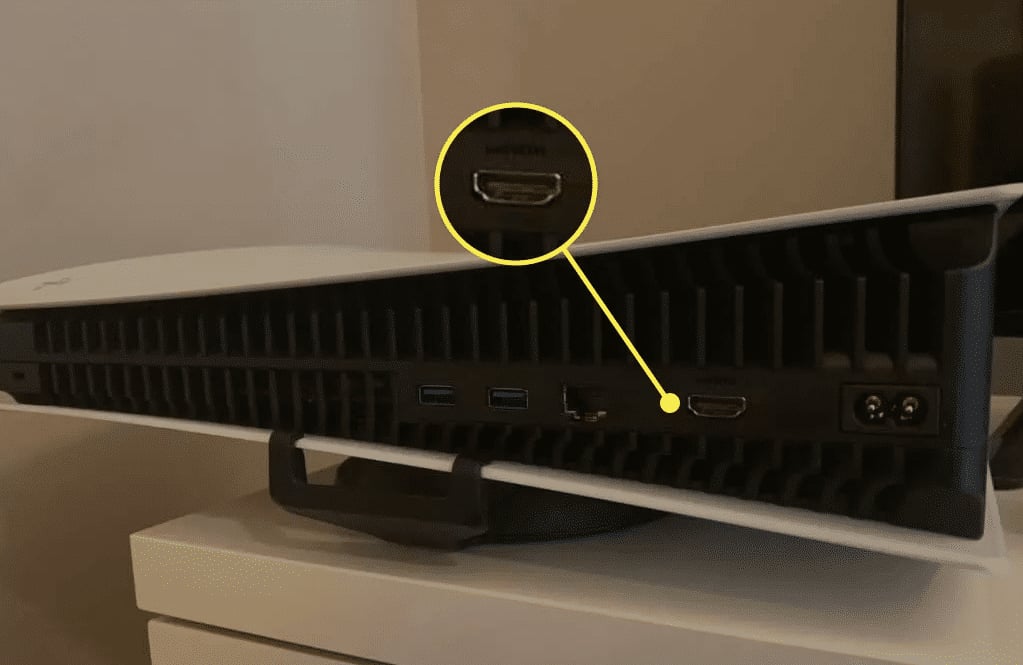
Video Game 911 has built a reputation over 29 years by specializing in console repair across all major platforms. While disc drive issues are common, their expertise also extends to other critical repairs, including HDMI port replacement for PlayStation consoles, ensuring comprehensive diagnostic capabilities that catch multiple issues in a single service.
Quality indicators to verify:
- Free diagnostic services that identify all issues before quoting
- Transparent pricing without hidden fees
- Return shipping included on completed repairs
- Minimum 30-day warranty on parts and labor
- Reviews from verified customers with similar repair needs
Ask potential repair services about their parts sourcing. Original equipment manufacturer (OEM) parts ensure compatibility and longevity compared to generic alternatives. Reputable services disclose whether they use OEM, refurbished OEM, or aftermarket components.
Preventing Future Disc Drive Issues
Once you've invested in ps4 disc drive repair, protecting that investment through preventive maintenance extends your console's functional lifespan significantly.
Environmental Management
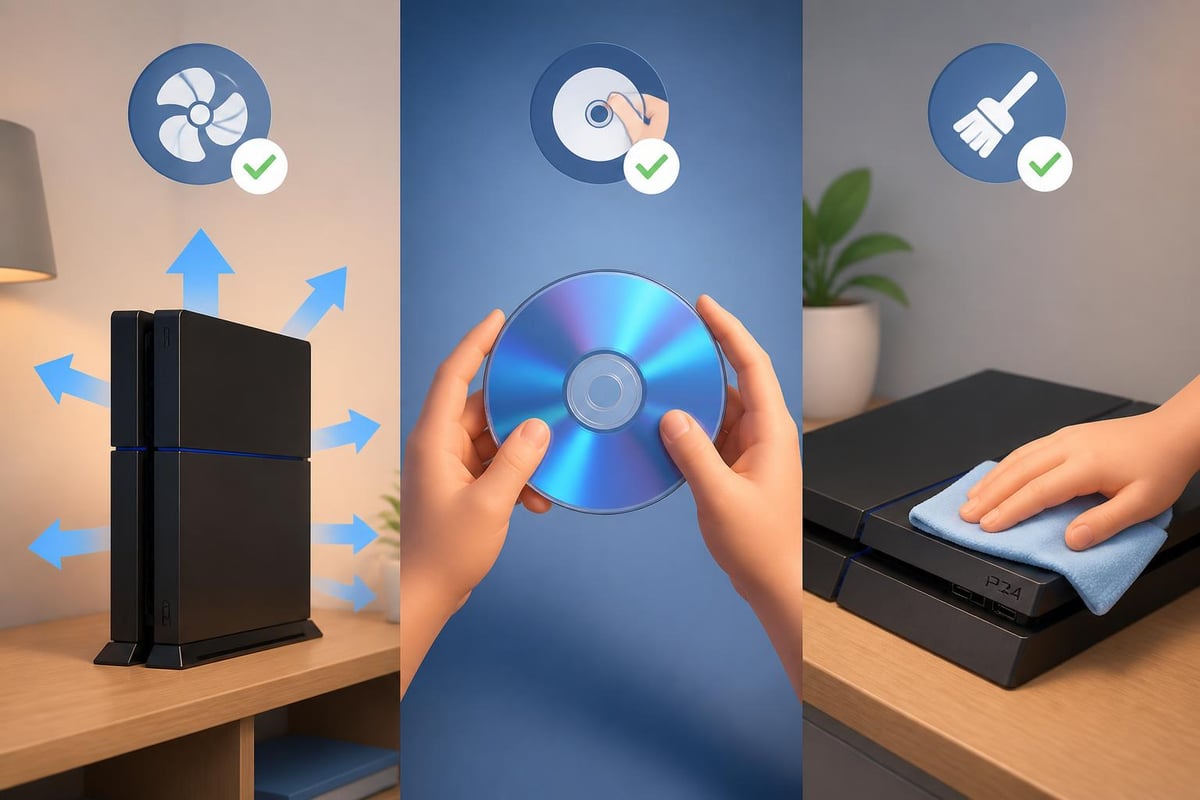
Position your PS4 in a well-ventilated area with adequate clearance on all sides. Overheating accelerates component degradation throughout the console, including disc drive electronics. Avoid enclosed entertainment centers that trap heat.
Keep your gaming area dust-free through regular cleaning. Dust infiltrates the console through ventilation ports and settles on internal components, including the laser lens and drive mechanisms. Use compressed air monthly to clear ventilation openings.
Optimal placement guidelines:
- Minimum 4 inches clearance on sides and rear
- Horizontal orientation preferred over vertical
- Solid surface rather than carpet
- Away from direct sunlight and heat sources
- Room temperature between 60-75°F
Handling and Usage Best Practices
Always insert and remove discs gently without forcing them into the slot. Let the console's motor pull discs in rather than pushing them. Forcing discs can misalign the roller mechanism or bend internal components.
Power down your PS4 completely before inserting or removing discs when possible. While the console supports disc swapping during operation, doing so increases mechanical stress on drive components.
Store discs properly when not in use. Keep them in their cases rather than stacked or exposed to dust. Handle discs by the edges to prevent fingerprints on the readable surface. Even minor scratches can force the laser to work harder, accelerating its deterioration.
Regular Maintenance Schedule
Establish a quarterly maintenance routine for your PS4. Clean the exterior vents with compressed air, check for firmware updates, and perform a database rebuild in Safe Mode. These simple tasks prevent many issues before they require repair intervention.
Consider professional cleaning services every 1-2 years for consoles in heavy use. Technicians can access internal components for thorough dust removal and apply fresh thermal paste to the processor, indirectly protecting the disc drive by preventing overall system overheating.
PS4 Model-Specific Repair Considerations
Sony released several PS4 variants between 2013 and 2020, each with distinct disc drive implementations affecting repair approaches.
Original PS4 (CUH-1000 through CUH-1200)
The launch PS4 models feature the most accessible disc drive design for repair. The drive assembly sits in a separate bay with its own power and data connections, making removal relatively straightforward. However, these older units more frequently experience drive belt deterioration due to their age.
Original PS4 consoles also use a drive firmware version that occasionally conflicts with certain game disc copy protection schemes introduced after 2020. Updating system software usually resolves these compatibility issues before assuming hardware failure.
PS4 Slim (CUH-2000 series)
The Slim revision integrated the disc drive more tightly into the overall console architecture. This compact design complicates repairs by requiring additional disassembly steps to access drive components. The drive motor changed to a more efficient design that runs cooler but can be more challenging to source as a replacement part.
PS4 Slim units benefit from improved dust resistance compared to original models. The redesigned ventilation system reduces dust infiltration into the disc drive area, though complete protection isn't possible.
PS4 Pro (CUH-7000 series)
The PS4 Pro uses a reinforced disc drive mechanism designed to handle the increased processing demands of 4K gaming and enhanced frame rates. While mechanically robust, the Pro's drive assembly sits beneath the power supply, requiring nearly complete console disassembly for repair access.
Pro models commonly experience a specific issue where the disc eject sensor becomes overly sensitive, causing phantom disc ejections even when no disc is inserted. This sensor can be disabled through software in Safe Mode, though proper ps4 disc drive repair addresses the underlying sensor contact problem.
Data Preservation During Disc Drive Repair
Protecting your game saves, screenshots, and downloaded content remains paramount during any repair process. Understanding data storage relationships helps prevent loss.
Game save data resides on the internal hard drive, completely separate from the disc drive. Even if your disc drive fails entirely, your saves remain intact. However, physical repairs requiring motherboard work carry small risks of data loss.
Pre-repair data protection steps:
- Enable PlayStation Plus cloud saves if subscribed
- Back up save data to USB storage device
- Note all downloaded games for redownload if needed
- Export screenshots and video clips to external storage
- Document your PSN account credentials securely
Downloaded digital games don't require backup as they're tied to your PSN account and can be redownloaded. However, documenting your purchase history helps track your digital library.
When sending your console for professional ps4 disc drive repair, reputable services never access or modify user data. They test drive functionality using their own test discs rather than your personal game library.
Alternative Solutions and Workarounds
While permanent repair remains the ideal solution, temporary workarounds can keep you gaming during the repair process or when immediate repair isn't financially feasible.
Digital Game Library Transition
The PlayStation Store offers digital versions of virtually all physical games. Purchasing digital copies allows gameplay continuation while your disc drive awaits repair. This approach works particularly well for frequently played titles worth the double purchase.
Sony occasionally offers disc-to-digital upgrade programs for specific titles, particularly first-party exclusives. Check the PlayStation Store for eligible games in your collection that might qualify for discounted digital versions.
External Disc Drive Alternatives
Unfortunately, the PS4 doesn't support external USB disc drives for game playback. The console's security architecture requires the internal drive for disc-based game authentication. External drives only function for media playback through specific applications.
Some users explore game streaming services as temporary alternatives. PlayStation Now and similar services provide access to game libraries without disc requirements. However, these services require stable internet connections and ongoing subscription costs.
Manual Disc Insertion Techniques
For drives that spin and read discs but struggle with the mechanical loading process, assisted insertion sometimes works temporarily. Gently guide the disc while the motor attempts to pull it in, helping the worn rollers grip properly.
This workaround isn't recommended as a long-term solution. Forcing or assisting disc loading accelerates wear on already compromised components. Use this method sparingly while arranging proper ps4 disc drive repair service.
The Future of Physical Media and Disc Drives
As gaming transitions toward digital distribution in 2026, understanding the long-term value of disc drive repair helps inform repair decisions. Physical media maintains specific advantages despite industry trends toward digital-only consoles.
Game collectors value physical copies for their resale potential, complete ownership, and immunity to digital store shutdowns. Discs also eliminate massive game download sizes that strain internet bandwidth caps and storage space.
The used game market depends entirely on functional disc drives. Repaired consoles retain full value in the secondary market, while disc drive failures significantly reduce resale prices.
Sony's ongoing support for the PS4 platform through 2026 ensures new physical game releases continue, though at reduced volume compared to PS5 titles. Maintaining a functional disc drive preserves access to the complete PS4 library, including titles never released digitally.
Addressing ps4 disc drive repair promptly prevents minor issues from escalating into complete system failures and ensures you maintain access to your physical game collection. Whether you choose DIY solutions for simple cleaning tasks or professional service for complex component repairs, understanding the diagnostic process and repair options empowers informed decisions. With proper maintenance and timely repairs, your PS4's disc drive can continue delivering reliable performance for years to come. Video Game 911 brings nearly three decades of console repair expertise to every PS4 disc drive repair, offering free diagnostics, professional-grade repairs, and the peace of mind that comes with expert service. Don't let a faulty disc drive keep you from enjoying your favorite games-reach out today to restore your console to perfect working order.