
 Nintendo Switch 2 Repair
Nintendo Switch 2 Repair
What's wrong with your Nintendo Switch 2?
Common Nintendo Switch 2 Symptoms
Port damage, debris, solder joints, charging circuitry, battery, or board faults can prevent normal charging from the top or bottom connector.
Controller, magnetic attachment, contacts, wireless hardware, or joystick wear can cause intermittent input or unwanted movement.
The LCD, digitizer, flex connections, backlight, or board-level display path can create partial or complete display failure.
Card contacts, reader hardware, media, or motherboard connections can prevent storage or game media from being recognized.
Dust, fan failure, airflow restriction, heat-sink or thermal-interface problems can cause instability under load.
USB-C, dock, HDMI path, cable, power delivery, or board faults can interfere with TV mode and connected accessories.
Understanding your
Nintendo Switch 2 Repair
Nintendo Switch 2
Magnetic Joy-Con 2, Dual USB-C, 1080p Display, and 256 GB Internal Storage
Switch 2 is a major hardware redesign. It uses a 7.9-inch 1920×1080 LCD with HDR and variable refresh up to 120 Hz, 256 GB internal storage, magnetic Joy-Con 2 attachment, USB-C ports on both top and bottom, and microSD Express expansion.
We Identify the Exact Switch 2 Failure Path Before Board Work
With two USB-C ports and more soldered storage/card hardware, similar symptoms can come from different parts. We reproduce the complaint and isolate the affected subsystem.
USB-C & Power Testing
Both ports, cable behavior, charging response, battery state, and power-delivery behavior are checked.
Joy-Con 2 & Input Testing
Attachment, contacts, wireless pairing, buttons, and stick behavior are tested on each side.
Display & Card Testing
LCD/touch behavior and game-card/microSD Express detection are tested with known-good media.
Cooling & Dock Testing
Fan, airflow, temperature, dock behavior, and external display/accessory functions are checked as relevant.
How Nintendo Switch 2 Repair works
Visit Us Locally
Real Repair Shop With Real Technicians
Video Game 911 has helped gamers since 1996 from our New Jersey repair facility. Local customers can visit us directly, and mail-in customers get the same professional diagnostics, repair, testing, and updates.
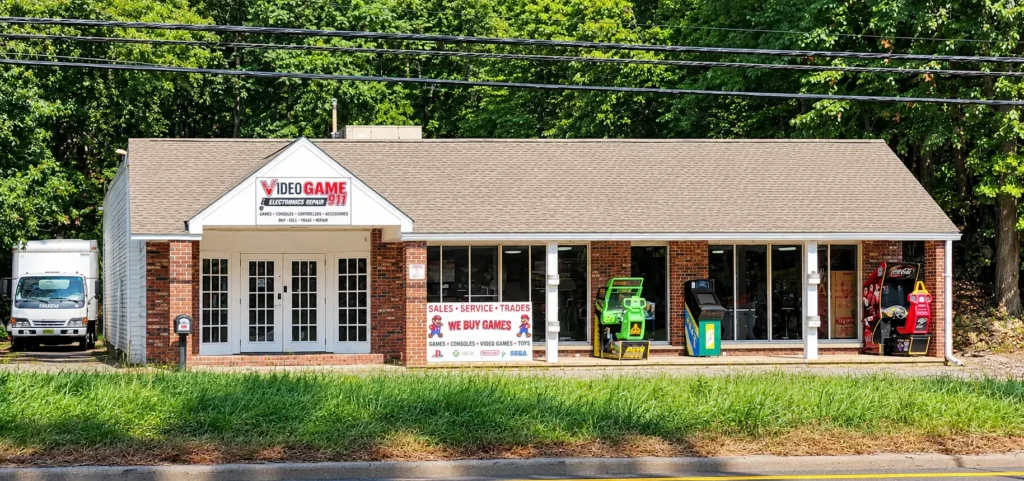
Our Location
Come say hi or drop off your device!
Video Game 9111235 US-46
Ledgewood, NJ 07852
Call Us646-415-8361
Store HoursMon – Fri: 10:00 AM – 6:00 PM
Saturday: 10:00 AM – 2:00 PM
Sunday: Closed
Nintendo Switch 2 Repair FAQs
What is the cost of a typical Nintendo Switch 2 repair?
Repair costs depend on the issue and the work required. Diagnostics are free on completed repair orders. If you choose not to complete the repair, diagnostic and return-shipping charges apply. See our Terms & Conditions.
Can you fix Joy-Con drift on the Nintendo Switch 2?
Yes. We offer drift repair for Nintendo Switch 2 Joy-Con 2 controllers. Joy-Con 2 is a different controller from the original Joy-Con, so the repair must match the controller involved. Unwanted movement alone does not tell us which part is faulty or mean that every case needs the same replacement.
Do you use original parts for Nintendo Switch 2 repair?
Yes, we use high-quality original or OEM-equivalent parts for all Nintendo Switch 2 repair services to ensure durability and performance.
How long does a Nintendo Switch 2 repair typically take?
Most Nintendo Switch 2 repairs are completed within 1 to 3 business days, depending on the issue and parts availability. We aim to get you back to gaming quickly.
Can’t Visit in Person?
Ready to Get Your Nintendo Switch 2 Working Again?
Tell us which port, controller, screen, card, or dock function is failing. We will inspect the Switch 2, confirm the fault, and provide a clear quote before paid repair work begins.
Easy Shipping ProcessWe’ll guide you through what to send and how to pack it.
Same Trusted TechniciansYour device is diagnosed, repaired, tested, and updated by our repair team.
Fast TurnaroundWe work to get your system repaired and back to gaming quickly.