

Gaming Console Cleaning: Essential Maintenance Guide
Your gaming console represents a significant investment in entertainment, and proper maintenance ensures it delivers peak performance for years. Regular gaming console cleaning prevents overheating, extends hardware lifespan, and maintains optimal gameplay experiences. Whether you own a PlayStation 5, Xbox Series X, or Nintendo Switch, understanding the right cleaning techniques protects your system from dust accumulation, thermal throttling, and premature hardware failure.
Understanding Why Gaming Console Cleaning Matters
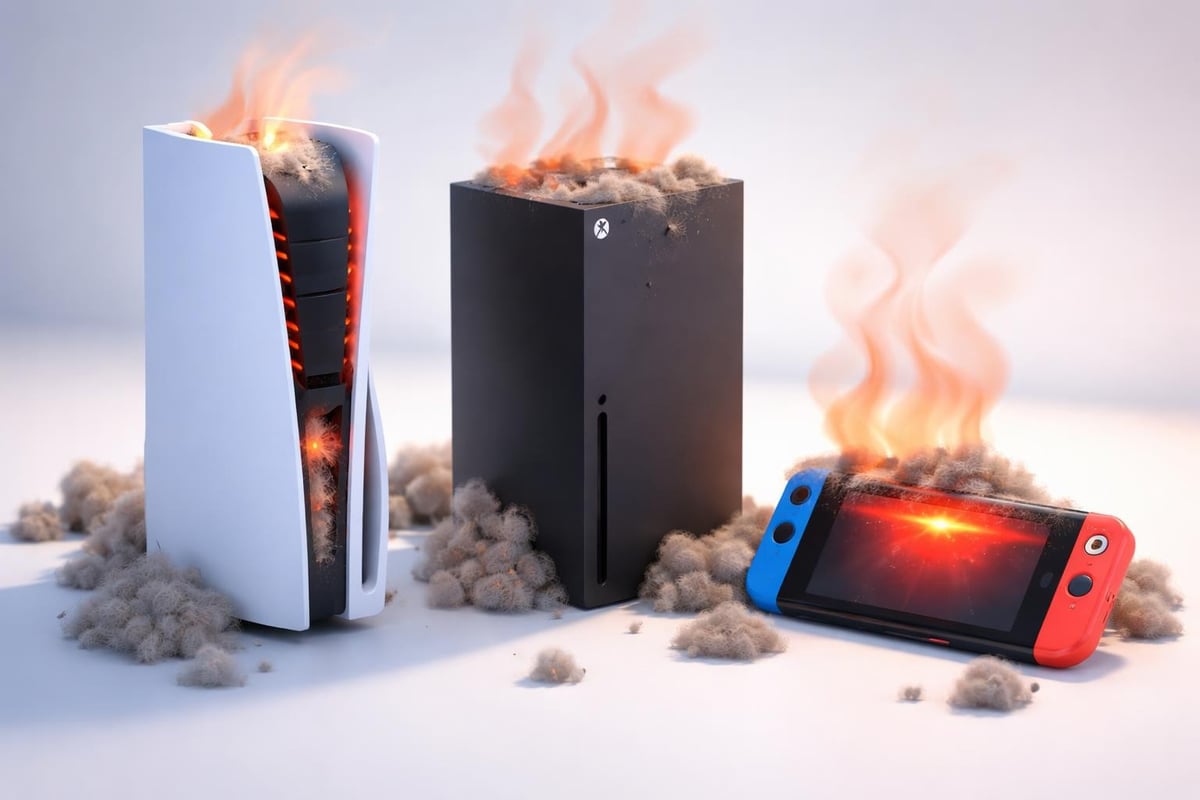
Modern gaming consoles generate substantial heat during operation. The powerful processors and graphics chips inside systems like the PS5 and Xbox Series X require efficient cooling systems to maintain safe operating temperatures. Dust is the silent killer of gaming hardware.
When dust accumulates inside your console, it creates an insulating layer on critical components and clogs ventilation pathways. This forces cooling fans to work harder, increasing noise levels and energy consumption. Eventually, the system may overheat, causing performance issues or permanent damage to internal components.
The Real Cost of Neglecting Console Maintenance
Consider these impacts of poor gaming console cleaning habits:
- Reduced performance: Thermal throttling slows processing speeds during intensive gaming sessions
- Hardware failure: Overheating damages processors, graphics chips, and power supply units
- Shortened lifespan: Consoles may fail years before their expected operational lifetime
- Voided warranties: Some manufacturers exclude dust-related damage from coverage
- Expensive repairs: Professional repairs for heat-damaged components can cost hundreds of dollars
Regular maintenance prevents these issues. Proper cleaning techniques and maintenance routines significantly extend console longevity.
External Gaming Console Cleaning Techniques
Start your gaming console cleaning routine with the exterior surfaces. Power down your console completely and unplug all cables before beginning any maintenance work. Never clean a powered-on console or one that's still warm from recent use.
Safe Cleaning Materials and Tools
Gather these supplies before starting:
- Microfiber cloths (lint-free and non-abrasive)
- Compressed air canister (with precision nozzle attachment)
- Isopropyl alcohol solution (70% concentration minimum)
- Cotton swabs for tight spaces
- Small soft-bristle brush
- Vacuum with brush attachment (for surrounding area only)
Avoid these cleaning products: paper towels (too abrasive), household cleaners (may damage plastic), excessive water, and furniture polish. According to comprehensive cleaning guides for home electronics, the right materials prevent surface damage while effectively removing contaminants.
Step-by-Step External Cleaning Process
- Remove surface dust: Use a dry microfiber cloth to wipe down all exterior surfaces
- Clean vents and ports: Direct compressed air into ventilation openings from a distance of 3-4 inches, use vacuum to remove any debris
- Address stubborn grime: Lightly dampen a microfiber cloth with isopropyl alcohol for sticky residue
- Detail small areas: Use cotton swabs with alcohol solution for ports and crevices
- Dry thoroughly: Ensure all surfaces are completely dry before reconnecting power
The controller ports, USB connections, and disc drive openings require special attention during gaming console cleaning. These areas accumulate skin oils, food particles, and environmental dust that can interfere with proper operation.
Internal Console Cleaning Considerations
Internal gaming console cleaning requires more care and technical knowledge. While external maintenance can be performed regularly by any console owner, internal cleaning involves opening the system and accessing components directly.
When Professional Service Becomes Necessary
Most gamers should limit their maintenance to external cleaning and ventilation management. However, certain situations warrant professional intervention:
| Symptom | Possible Cause | Recommended Action |
|---|---|---|
| Excessive fan noise | Heavy internal dust buildup | Professional deep cleaning |
| Frequent overheating warnings | Blocked heat sink or thermal paste degradation | Expert thermal management service |
| System shutdowns during gameplay | Critical thermal protection activation | Immediate professional diagnosis |
| Visible dust in vents despite external cleaning | Internal component contamination | Professional disassembly and cleaning |
Opening your console for internal gaming console cleaning may void manufacturer warranties. Check your warranty status before attempting any internal maintenance. For systems still under warranty, contact the manufacturer or authorized service centers.
Safe Internal Cleaning Approaches
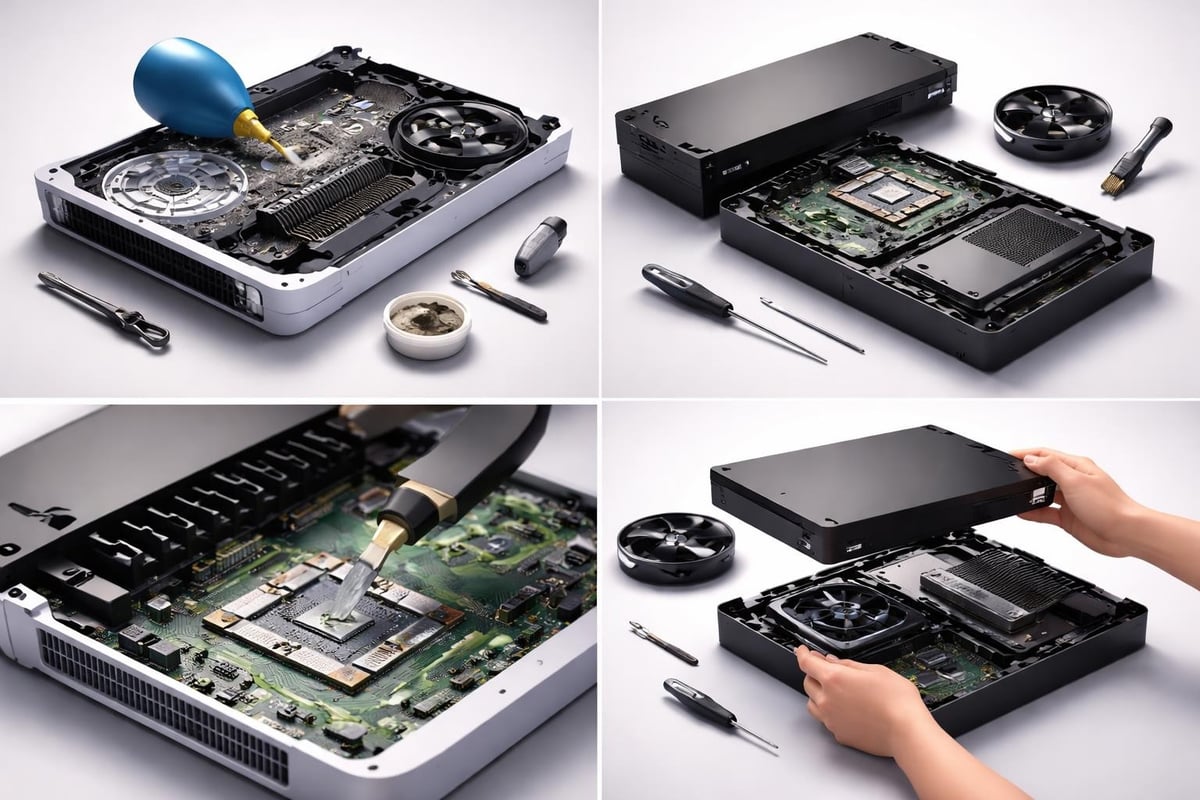
If you choose to proceed with internal cleaning on an out-of-warranty console, follow these guidelines:
- Research your specific console model's disassembly process
- Use proper tools (security Torx bits, plastic prying tools)
- Document each step with photos for reassembly reference
- Work on a clean, static-free surface
- Never force components or connectors
- Replace thermal paste if you remove heat sinks
The PlayStation 5 and Xbox Series X both feature complex internal designs with multiple cooling components. These systems require careful handling during disassembly to avoid damaging ribbon cables, thermal pads, and delicate connectors. Additionally, any handheld consoles have specific connectors and controls which are very easily damaged. It is VERY common for us to receive units which have had failed attempts as careful disassembly and significant damage results in additional costs to repair.
Preventive Gaming Console Cleaning Strategies
Prevention reduces the frequency of intensive gaming console cleaning sessions. Strategic placement and environmental controls minimize dust accumulation from the start.
Optimal Console Placement Guidelines
Your console's location significantly impacts dust exposure and cooling efficiency. Consider these placement best practices:
Vertical vs. horizontal orientation: Follow manufacturer recommendations for your specific model. The PS5 includes a stand for both orientations, while the Xbox Series X is designed primarily for vertical placement.
Clearance requirements: Maintain at least 4-6 inches of open space on all ventilated sides. Enclosed entertainment centers restrict airflow and trap heat, forcing your system to work harder.
Surface considerations: Place consoles on hard, flat surfaces rather than carpet or fabric. Soft surfaces block bottom vents and accumulate more dust particles.
Expert maintenance tips emphasize proper ventilation as the most critical factor in console longevity. Good airflow reduces internal temperatures and slows dust accumulation rates.
Environmental Controls for Reduced Dust
Beyond physical placement, control your gaming environment to minimize contamination:
- Use air purifiers with HEPA filters in your gaming room
- Maintain moderate humidity levels (45-55%) to reduce static dust attraction
- Keep windows closed during high-pollen seasons
- Avoid smoking near gaming equipment
- Vacuum and dust surrounding areas weekly
Gaming console cleaning becomes easier when you reduce the dust entering your space. These environmental controls benefit all your electronics, not just consoles.
Specialized Cleaning for Different Console Types
Each major console manufacturer designs systems with unique cooling architectures and maintenance requirements. Tailoring your gaming console cleaning approach to your specific hardware ensures optimal results.
PlayStation Console Maintenance
PlayStation 5: Sony's latest console features a removable dust cover that simplifies access to intake fans. Remove the white side panels by lifting the top corner and sliding. Use compressed air to clean the visible dust catchers and fan blades. The PS5's design accumulates dust in specific collection points that require attention every 3-4 months.
PlayStation 4/Pro: These systems have top and side vents that require regular attention. The PS4 is particularly prone to dust accumulation in the power supply area. Focus compressed air application on the side vents and rear exhaust ports during routine gaming console cleaning.
Xbox System Care
Xbox Series X/S: The Series X features a large top-mounted fan that draws air upward through the entire system. Keep this area completely clear and use compressed air to clean the top mesh cover monthly. The Series S has side ventilation that requires different attention patterns.
Xbox One family: Earlier Xbox models use side and rear ventilation. The Xbox One X runs particularly hot and benefits from frequent external cleaning. Pay special attention to the power brick connection points, which can accumulate dust and interfere with proper power delivery.
When gaming console cleaning reveals persistent issues like connection problems, specialized services can help. For example, if you notice display issues after cleaning, professional HDMI port repair can restore your Xbox's video output to perfect working condition.
Nintendo Hardware Approaches
| Console Model | Primary Concern | Cleaning Focus |
|---|---|---|
| Nintendo Switch | Dock ventilation | Clean dock vents and tablet exhaust fan |
| Switch OLED | Screen protection | Use only microfiber cloths on display |
| Switch Lite | Compact design heat | Focus on rear and bottom vents |
Nintendo systems generally run cooler than PlayStation or Xbox consoles, but they still require regular gaming console cleaning. The Switch's portable nature exposes it to more environmental contaminants than stationary consoles.
Creating a Gaming Console Cleaning Schedule
Consistency prevents major buildup that requires intensive cleaning sessions. Establish a maintenance schedule based on your gaming environment and usage patterns.
Recommended Cleaning Frequencies
Weekly maintenance (5 minutes):
- Quick external wipe-down with microfiber cloth
- Visual inspection of vents for visible dust
- Check surrounding area cleanliness
Monthly maintenance (15-20 minutes):
- Thorough external cleaning with isopropyl alcohol solution
- Compressed air treatment of all vents and ports
- Controller cleaning and inspection
- Cable management and port cleaning
Quarterly deep cleaning (30-45 minutes):
- Complete external detailing
- Extended compressed air session
- Thermal monitoring and performance check
- Consideration of professional internal service if needed
Adjust these schedules based on your specific circumstances. Homes with pets, smokers, or high dust levels require more frequent gaming console cleaning. Maintaining your gaming setup pristine involves consistent attention rather than occasional intensive sessions.
Seasonal Considerations
Different seasons present unique challenges for console maintenance:
Summer: Higher temperatures stress cooling systems. Increase cleaning frequency and monitor for overheating warnings. Consider reducing ambient room temperature during extended gaming sessions.
Winter: Heating systems circulate more dust particles. Static electricity becomes more problematic in dry winter air. Increase humidity levels and clean more frequently.
Spring/Fall: These transitional seasons often bring increased pollen and allergens. Keep windows closed during peak pollen times and clean external vents more regularly.
Advanced Gaming Console Cleaning Tools
While basic supplies handle routine maintenance, specialized tools improve efficiency for dedicated gamers who perform frequent gaming console cleaning.
Professional-Grade Equipment
Consider these advanced cleaning tools:
- Electric air duster: Reusable alternative to compressed air canisters, provides consistent pressure
- Anti-static brush sets: Specifically designed for electronics, safely remove dust without damage
- Precision vacuum attachments: Micro-vacuum tools for delicate port cleaning
- Thermal monitoring tools: Digital thermometers or thermal cameras to track cooling performance
Investment considerations: Professional tools cost more initially but provide better results and long-term value for serious gaming console cleaning programs. A quality electric air duster pays for itself after replacing numerous compressed air canisters.
Monitoring System Health Post-Cleaning
After completing gaming console cleaning, verify improvements through:
- Temperature monitoring: Many consoles display system temperatures in settings menus
- Fan noise levels: Clean systems run quieter with less aggressive fan speeds
- Performance stability: Monitor for thermal throttling during intensive games
- Load times: Improved cooling can enhance overall system responsiveness
Document baseline measurements before cleaning and compare post-maintenance results. This data helps you identify when professional service becomes necessary or when your cleaning schedule needs adjustment.
Common Gaming Console Cleaning Mistakes to Avoid
Even experienced gamers make errors that damage consoles or reduce cleaning effectiveness. Avoid these frequent mistakes during your maintenance routine.
Dangerous Cleaning Practices
Using vacuum cleaners directly on consoles: Vacuum suction can damage delicate components and generate static electricity that harms circuit boards. Only use compressed air to blow dust out, never vacuum directly from console vents.
Excessive liquid application: Spraying cleaning solutions directly onto consoles risks liquid penetrating internal components. Always apply isopropyl alcohol to cloths first, then wipe surfaces with the dampened cloth.
Cleaning while powered on: This dangerous practice risks electrical shock, component damage, and voiding warranties. Always disconnect power completely before gaming console cleaning.
Forcing compressed air too close: Holding compressed air nozzles too near components can damage fan bearings or push dust deeper into the system. Maintain 3-4 inches distance and use short bursts.
Ineffective Techniques
These approaches waste time without delivering results:
- Ignoring manufacturer guidelines for specific console models
- Using household cleaners not designed for electronics
- Cleaning controllers with the same frequency as consoles (controllers need more frequent attention)
- Neglecting cable management and port maintenance
- Skipping exterior cleaning in favor of only internal focus
Essential maintenance tips from repair professionals emphasize following proper procedures rather than taking shortcuts that seem time-efficient.
Recognizing When Professional Service Is Required
Despite diligent gaming console cleaning, some situations require expert intervention. Professional repair services have specialized equipment and experience that exceed home maintenance capabilities.
Warning Signs Requiring Expert Attention
Watch for these indicators that cleaning alone won't solve the problem:
- Persistent overheating despite thorough external cleaning
- Unusual grinding or clicking noises from internal components
- System failures to power on or frequent crashes
- Error messages indicating hardware problems
- Physical damage to ports or connectors
- Liquid damage or spill incidents
Professional technicians can perform diagnostic testing, internal component replacement, and warranty-compliant repairs. They also handle complex procedures like thermal paste replacement, fan bearing service, and circuit board cleaning that exceed typical gaming console cleaning scope.
Choosing Professional Services
When selecting repair services, prioritize these factors:
Experience level: Look for technicians with specific console expertise spanning multiple generations. Services with extensive backgrounds in PlayStation, Xbox, and Nintendo repairs understand the nuances of different systems.
Service guarantees: Reputable providers offer warranties on parts and labor, demonstrating confidence in their work quality.
Diagnostic capabilities: Free diagnostic services help identify issues before committing to repairs. This transparency ensures you only pay for necessary work.
For complex issues beyond routine gaming console cleaning, experienced professionals like Video Game 911 provide comprehensive diagnostic and repair services for all major console brands.
Regular gaming console cleaning forms the foundation of proper system maintenance, preventing costly repairs and extending your hardware's operational lifespan. By implementing consistent external cleaning schedules, maintaining proper ventilation, and recognizing when professional service becomes necessary, you protect your gaming investment for years of reliable performance. When cleaning reveals underlying hardware issues or when your console requires expert attention beyond routine maintenance, Video Game 911 offers professional repair solutions with over 29 years of experience servicing PlayStation, Xbox, and Nintendo systems, including free diagnostics and return shipping on all completed repairs.