
Step-by-Step Guide to Fix Nintendo Switch in 2025
Is your Nintendo Switch suddenly unresponsive, or failing to turn on at the worst possible moment? Many gamers know the frustration of these untimely issues, especially when you want to play your favorite titles.
This guide is designed to help you fix nintendo switch problems in 2025 with clear, step-by-step solutions. Whether you are troubleshooting for the first time or you have some experience, you will find practical advice tailored to your needs.
Inside, you will learn how to diagnose common problems, perform essential troubleshooting, handle both hardware and software repairs, and recognize when it is time to seek professional help. Let us get started and bring your gaming experience back on track.
Understanding Common Nintendo Switch Issues in 2025
Nintendo Switch consoles are beloved for their versatility, but even the best devices encounter problems over time. If you need to fix nintendo switch issues in 2025, understanding what can go wrong and how to spot early warning signs is crucial.
Most Frequent Problems and Their Symptoms
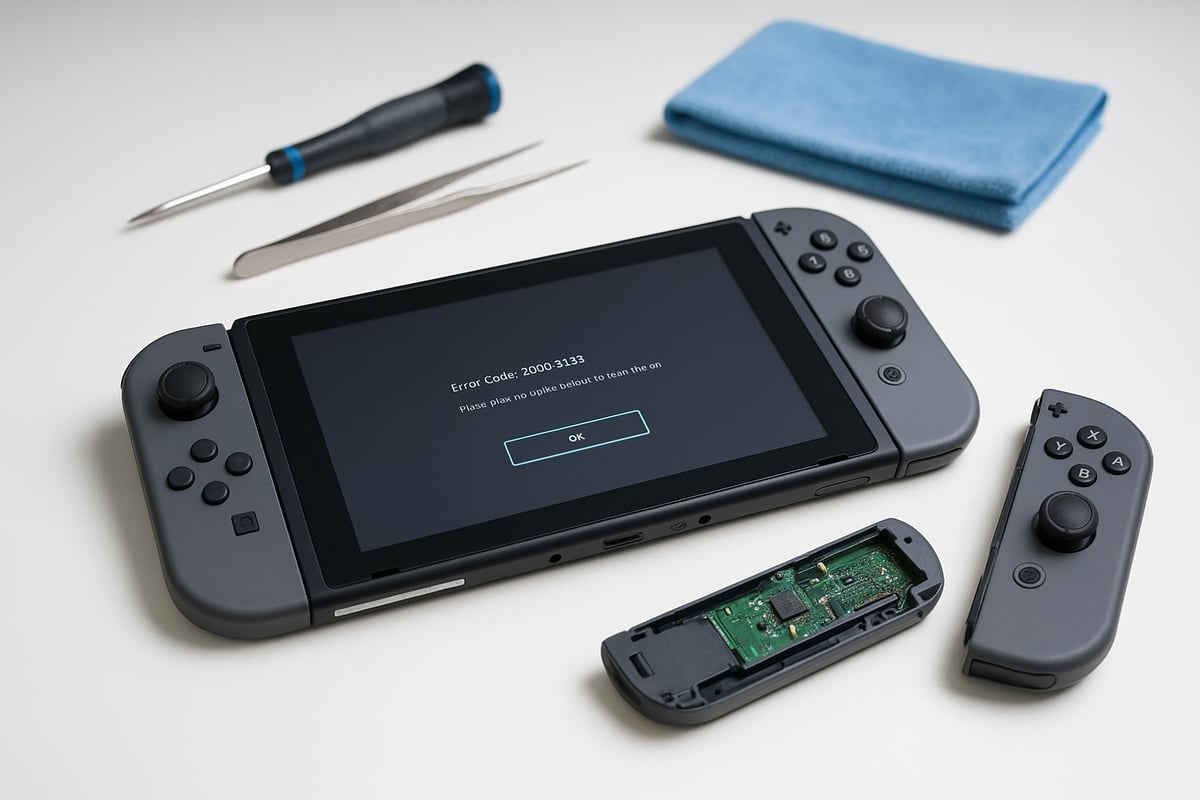
As more people rely on their consoles, the need to fix nintendo switch problems has grown. Users in 2025 report a range of hardware and software issues. The most common complaints include:
- Switch won’t turn on or displays a persistent black screen
- Joy-Con drift, leading to inaccurate or unresponsive controls
- Charging difficulties or rapid battery drain
- Console overheating during extended play sessions
- Game card or SD card errors, preventing games from loading
- Wi-Fi or Bluetooth connectivity issues
Many of these problems appear across all Switch models, but some symptoms can be specific. For example, Switch OLED users sometimes report screen flickering, while the Switch Lite may be more prone to joystick wear.
A typical scenario is Joy-Con drift, where the analog stick registers movement even when untouched. This issue can make gameplay frustrating. If you are experiencing this, consider reviewing Fixing Joy-Con drift issues for detailed solutions.
Understanding error codes is also essential when you fix nintendo switch issues. Here is a quick reference table:
| Error Code | Typical Meaning |
|---|---|
| 2101-0001 | Hardware failure detected |
| 2162-0002 | System software error |
| 2813-0002 | Network connection problem |
| 2002-4686 | Game card not recognized |
Accurate diagnosis is the first step when you need to fix nintendo switch problems. Always match symptoms to error codes and model differences before attempting any fixes.
Tools and Materials Needed for DIY Fixes
Preparation is key if you plan to fix nintendo switch hardware yourself. Start by gathering the right tools and materials:
- Tri-wing and Phillips screwdrivers for opening the console
- Plastic prying tools to prevent case damage
- Tweezers for handling small components
- Isopropyl alcohol and microfiber cloths for safe cleaning
For common repairs, you may need replacement parts such as new batteries, screens, Joy-Con analog sticks, or charging ports. Always choose high-quality, genuine components to avoid repeated failures.
Set up a clean, static-free workspace, and wear an anti-static wristband to protect sensitive electronics. When sourcing parts, beware of counterfeits that can cause more harm than good.
Using the correct tools not only helps you fix nintendo switch issues efficiently but also prevents accidental damage. Investing in quality equipment pays off by making repairs safer and more successful.
Step-by-Step Nintendo Switch Troubleshooting Process
When you need to fix Nintendo Switch issues, a clear and systematic approach can save time and frustration. This section walks you through each step, ensuring you have the best chance of getting your console back in action quickly.
Initial Diagnostics and Free Checks
Begin any attempt to fix Nintendo Switch problems with a thorough initial check. Many issues can be resolved without opening the console or investing in replacement parts.
Here are the first steps:
- Inspect for visible damage: Check for cracks, loose components, or signs of water exposure. If you notice moisture, avoid powering the device.
- Check the power source: Try a different charger and outlet. Faulty cables are a common reason the Switch won’t turn on.
- Perform a hard reset: Hold the power button for at least 12 seconds, then press it again to restart. This can resolve a black screen or unresponsive unit.
- Remove and reinsert Joy-Cons and game cards: Sometimes, connection issues are due to misaligned accessories or dirty contacts.
- Boot into Recovery Mode: Hold Volume Up and Down while pressing Power. This mode allows further troubleshooting if the console is stuck.
For example, if your Switch displays a black screen after charging overnight, a hard reset often restores normal function. These steps are the foundation to fix Nintendo Switch devices before considering more complex repairs.
Software Fixes and Updates
If the hardware appears intact, software troubleshooting is the next step to fix Nintendo Switch issues. Addressing software glitches can resolve problems like freezing, connectivity issues, or error codes without physical repairs.
Follow these actions:
- Update system software: Go to System Settings, then System, and select System Update. Keeping firmware current prevents many known bugs.
- Restore factory settings: If persistent software issues remain, consider a factory reset. Back up your data first, as this erases all content.
- Clear cache and manage storage: In System Settings, clear cache and remove unused data. This can improve performance and stop random crashes.
- Reinstall problematic games or apps: Deleting and redownloading software often fixes unexpected errors.
For instance, updating the firmware often resolves Wi-Fi connectivity problems. If you need more detailed guidance on these steps, you can find expert advice for Switch repairs to help you confidently fix Nintendo Switch software issues.
Hardware Checks Before Opening the Console
Before deciding to open your Switch, conduct external hardware checks to determine if a simple fix is possible. This step is crucial as it may prevent unnecessary disassembly.
Steps to follow:
- Test Joy-Con connectivity and calibration: Attach Joy-Cons and use the System Settings to recalibrate. If unresponsive, try pairing them again.
- Check for battery swelling or overheating: Look for bulging near the back panel or excessive heat. If you spot swelling, do not attempt to use or charge the device.
- Inspect charging and HDMI ports: Examine for debris or damage. Use compressed air to clean out dust, but never insert metal objects.
As an example, cleaning a clogged charging port with compressed air can restore charging capability, letting you fix Nintendo Switch power issues without opening the device. Completing these checks ensures you only proceed to advanced repairs when truly necessary.
DIY Repairs for Common Nintendo Switch Problems
If you want to fix nintendo switch issues yourself, understanding common repairs and how to perform them safely is essential. Many problems, from Joy-Con drift to charging failures, can be solved at home with patience, the right tools, and a careful approach. Below, we break down the most frequent DIY fixes for your Nintendo Switch in 2025, empowering you to tackle repairs confidently and extend your console’s life.
Fixing Joy-Con Drift and Connectivity Issues
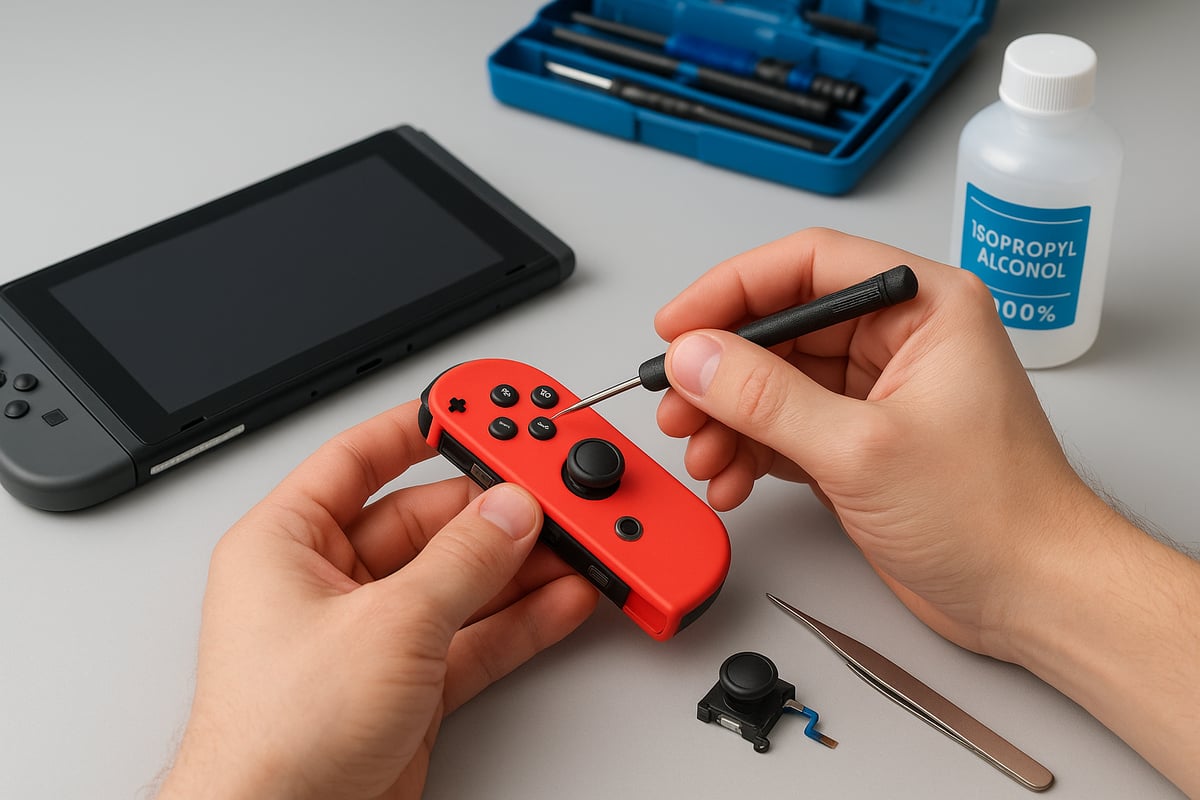
Joy-Con drift remains one of the most common reasons people look to fix nintendo switch controllers. This problem often appears as characters moving on their own or unresponsive controls. If you notice these symptoms, begin by recalibrating your Joy-Cons through the system settings. Sometimes, this resolves minor drift or connectivity hiccups.
For persistent issues, disassemble the Joy-Con using a tri-wing screwdriver. Remove the screws, then carefully open the casing with a plastic prying tool. Clean the stick sensor area with isopropyl alcohol and a cotton swab, removing any dust or grime. If the drift continues, replace the analog stick module with a compatible part.
Step-by-step Joy-Con stick replacement:
- Power off the console.
- Remove screws and open the Joy-Con shell.
- Disconnect the battery and ribbon cables.
- Unscrew and remove the faulty stick.
- Install the new stick and reconnect cables.
- Reassemble the Joy-Con and test.
After reassembly, recalibrate the Joy-Con in the settings menu. This process often restores full control, letting you fix nintendo switch drift without professional help. For a detailed walkthrough and cost breakdown, see this Nintendo Switch Repair Guide 2025.
Replacing a Faulty Battery or Screen
If your Nintendo Switch fails to hold a charge or the display is cracked, you may need to fix nintendo switch hardware by replacing the battery or screen. Begin by powering off the device and removing the back cover with a Phillips or tri-wing screwdriver.
Battery replacement steps:
- Disconnect the battery connector gently.
- Pry out the old battery with a plastic tool.
- Insert the new battery, ensuring the connector is secure.
- Avoid bending or puncturing the battery during removal.
For screen replacement, detach ribbon cables carefully and lift the old screen out of its frame. Place the new screen, reconnect all ribbon cables, and check for dust or debris before reassembly.
| Component | Common Signs of Failure | DIY Difficulty |
|---|---|---|
| Battery | Rapid drain, won’t charge | Moderate |
| Screen | Cracks, no display | Challenging |
Always test new parts before fully reassembling the console. Many users report improved battery life and clearer visuals after a successful fix nintendo switch repair.
Repairing Charging and HDMI Ports
Charging and HDMI port problems can prevent you from enjoying your console. If you notice a loose fit, no charging response, or display issues, it may be time to fix nintendo switch ports. Begin by inspecting the ports for dust or debris; use compressed air or a soft brush to clean them.
If cleaning does not resolve the issue, the port may need replacement. Open the back panel, locate the charging or HDMI port, and carefully desolder the old component if you have experience with soldering. For most users, replacing the port is best done using a pre-soldered replacement part.
Safety note: Soldering requires precision and safety measures. If you are not confident, consider seeking help rather than risking further damage.
After replacing the port, test charging and HDMI output before fully closing the console. Many users successfully fix nintendo switch charging issues by addressing debris or replacing worn ports, restoring the console’s functionality.
Resolving Game Card and SD Card Reader Issues
Game card and SD card reader failures often appear as frequent read errors or the system not recognizing inserted cards. To fix nintendo switch reading problems, start by powering off the console and removing the affected card.
Clean the card contacts and port gently with isopropyl alcohol and a microfiber cloth. If the issue persists, the card reader may need to be replaced. Open the console, disconnect the card reader module, and replace it with a quality part.
Checklist for troubleshooting card issues:
- Test with multiple cards to rule out a faulty game or SD card.
- Inspect the reader for bent pins or visible debris.
- Replace the reader only if cleaning does not resolve the problem.
Many owners find that a careful cleaning or timely replacement lets them fix nintendo switch reading errors, saving on service costs and getting back to gaming quickly.
When to Seek Professional Nintendo Switch Repair Services
Is your attempt to fix nintendo switch at home not going as planned? Knowing when to tackle a problem yourself versus when to trust an expert can save you both time and money. Many users try DIY fixes, but some issues are better left to professionals, especially in 2025 as Switch hardware becomes more complex.
Deciding Between DIY and Professional Help
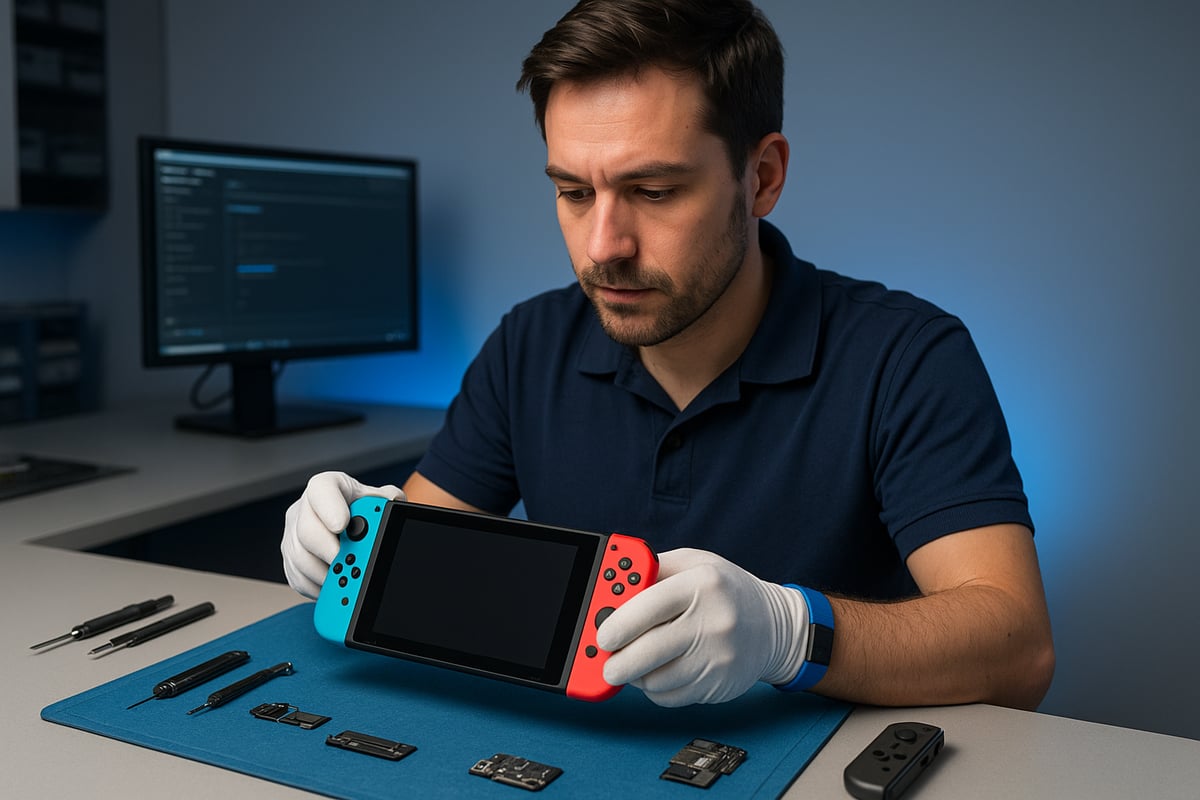
While it can be tempting to fix nintendo switch problems by following guides or videos, there are real risks involved. Attempting repairs without the right tools or knowledge may void your warranty or cause additional damage. For example, opening the console to address a power issue could harm the motherboard if not handled correctly.
Consider these risks before you try to fix nintendo switch yourself:
- Voiding the manufacturer's warranty
- Causing further hardware damage
- Safety hazards from handling batteries or electrical components
- Difficulty sourcing genuine parts
Some repairs are best left to professionals. Complex issues such as persistent power failures, severe water damage, or motherboard faults require specialized skills and equipment. While basic troubleshooting can resolve minor issues, advanced repairs often benefit from expert attention. For instance, trying to fix nintendo switch motherboard problems at home can lead to irreversible damage, while a certified technician can often resolve the issue in under an hour.
What to Expect from Professional Repair Services
When you decide to seek help, professional repair centers offer clear advantages. Most provide free diagnostics, transparent pricing, and warranties on both parts and labor. The speed of service is a major benefit, with many repairs completed the same day or within 24 hours.
Here is a quick comparison of typical professional service features:
| Service Feature | Professional Repair Center | DIY Repair |
|---|---|---|
| Free diagnostics | Yes | No |
| Warranty on repairs | Yes (often 1 year or more) | No |
| Genuine parts | Guaranteed | Not always |
| Repair speed | 45 minutes to 24 hours | Varies, often longer |
| Safety & expertise | Certified technicians | Not guaranteed |
You can expect high-quality service from reputable providers, such as those listed on Nintendo Switch repair services. These professionals use genuine parts, provide clear communication, and back their work with robust warranties.
Many customers report that choosing expert help to fix nintendo switch not only restores their device quickly but also gives peace of mind. For example, one gamer shared how a failed DIY battery replacement left their Switch unusable, but a repair center restored it in just two days, saving the cost of buying a new console.
Preventative Maintenance and Long-Term Care for Your Nintendo Switch
Keeping your Nintendo Switch in top shape is the best way to avoid unexpected breakdowns. Proactive care helps you fix nintendo switch problems before they become serious, ensuring smooth gaming sessions and a longer lifespan for your device. With just a few regular habits, you can minimize the risk of costly repairs and keep your system running like new.
Best Practices to Avoid Future Problems
Routine cleaning is essential to fix nintendo switch issues before they start. Dust and debris can clog vents and ports, leading to overheating or charging failures. Use a microfiber cloth to wipe the screen and Joy-Cons, and compressed air for the vents. Clean the charging port carefully to prevent connection problems. If you notice your console getting hot, review these Preventing console overheating steps for safe cooling.
Safe charging is another key part of maintenance. Always use the official Nintendo charger, and avoid damaged or third-party cables. Store your Switch in a cool, dry place, away from direct sunlight or moisture. Using a sturdy case and a tempered glass screen protector can shield your device from accidental drops or scratches.
These small steps not only help you fix nintendo switch issues early but also extend the life of your console.
Software Maintenance and Updates
Keeping your system software and games updated is crucial to fix nintendo switch bugs and performance issues. Regularly check for updates in the settings menu to ensure compatibility and security. If you notice slowdowns or crashes, clear the system cache and manage storage by deleting unused games or transferring data to an SD card.
Backing up your save data is vital. Use Nintendo's cloud save feature when available, or manually copy data to a microSD card. Here's a quick comparison of backup methods:
| Method | Pros | Cons |
|---|---|---|
| Cloud Save | Automatic, secure | Requires Nintendo Online |
| SD Card Backup | No subscription needed | Manual process |
Managing storage and updates regularly helps you fix nintendo switch problems related to performance and data loss.
Recognizing Early Warning Signs
Acting quickly on small issues can prevent major failures. Listen for unusual noises, like buzzing fans or clicking sounds, which may signal hardware stress. If your Switch becomes hot to the touch, shows rapid battery drain, or displays error codes, do not ignore these signs.
Prompt action can help you fix nintendo switch issues before they escalate. For example, addressing minor Joy-Con drift early can avoid more complex repairs down the road. Stay alert to changes in performance and respond with cleaning, updates, or professional help as needed.
Advanced Troubleshooting and Resources for 2025
Facing issues that ordinary steps cannot resolve? As Nintendo Switch hardware and software evolve, so do the challenges in diagnosing and repairing stubborn problems. This section guides you through advanced troubleshooting, reliable resources, and the transition to next-generation Nintendo devices. Whether you are a seasoned repair enthusiast or a careful owner, you will find actionable solutions to help fix nintendo switch problems that persist in 2025.
Dealing with Persistent or Rare Issues
Some Nintendo Switch problems are not so easily solved. New error codes introduced in 2025, such as “ERR-0251” or “SYS-BlueScreen,” often indicate issues with firmware or internal hardware. When these codes appear, start by researching their meaning through Nintendo’s official support or active community forums.
For rare glitches, advanced fixes may include reinstalling the system firmware or even performing component-level repairs, such as replacing a faulty eMMC chip. These tasks require technical expertise, so proceed only if you are comfortable and have the right tools.
Community-driven resources are invaluable for those trying to fix nintendo switch devices that show unusual symptoms. Detailed guides, like the Nintendo Switch Teardown Analysis, can help you understand the internal structure and common failure points. For example, a rare “blue screen” error might be fixed by carefully reseating a loose connector or replacing a damaged internal component.
Always document changes as you go and back up your data whenever possible before attempting advanced repairs.
Finding Reliable Parts and Guides
Sourcing quality replacement parts is crucial when you need to fix nintendo switch hardware. In 2025, the market is flooded with counterfeit or low-quality components, so it is essential to buy only from trusted suppliers. Look for vendors with strong reputations and clear return policies.
Repair guides must be up-to-date and thorough. Official Nintendo documentation, reputable repair websites, and professional video tutorials are your best allies. Avoid shortcuts from unverified sources, as these can lead to mistakes or further damage.
It is important to stay informed about the growing challenges in DIY repairs. The Nintendo Switch Repairability Decline article highlights the difficulties in accessing genuine parts and the lack of official repair manuals. As a result, patience and diligence are key when sourcing what you need to fix nintendo switch devices safely.
A quick checklist can help:
- Verify part authenticity before purchase
- Use guides with step-by-step photos or videos
- Avoid deals that seem too good to be true
Preparing for Next-Gen Nintendo Devices
With the arrival of the Switch 2, many users are planning their upgrade path. Ensuring compatibility and a smooth transition is essential when you fix nintendo switch systems or migrate to new hardware.
Start by backing up all save data to the cloud or an SD card. Nintendo’s transfer tools allow you to move accounts, game data, and settings to the latest device. Double-check that your accessories and games are compatible with the new model.
If you plan to fix nintendo switch issues before selling or handing down your old console, make sure all problems are addressed and the system is reset to factory settings. This protects your privacy and ensures a fresh start for the next user.
By staying proactive, you can avoid losing progress and enjoy a seamless experience as Nintendo’s ecosystem evolves.